Everything a town needs to share its facilities fairly.
Built around the way recreation departments actually work: a few staff, lots of coaches, and a lot of fields.
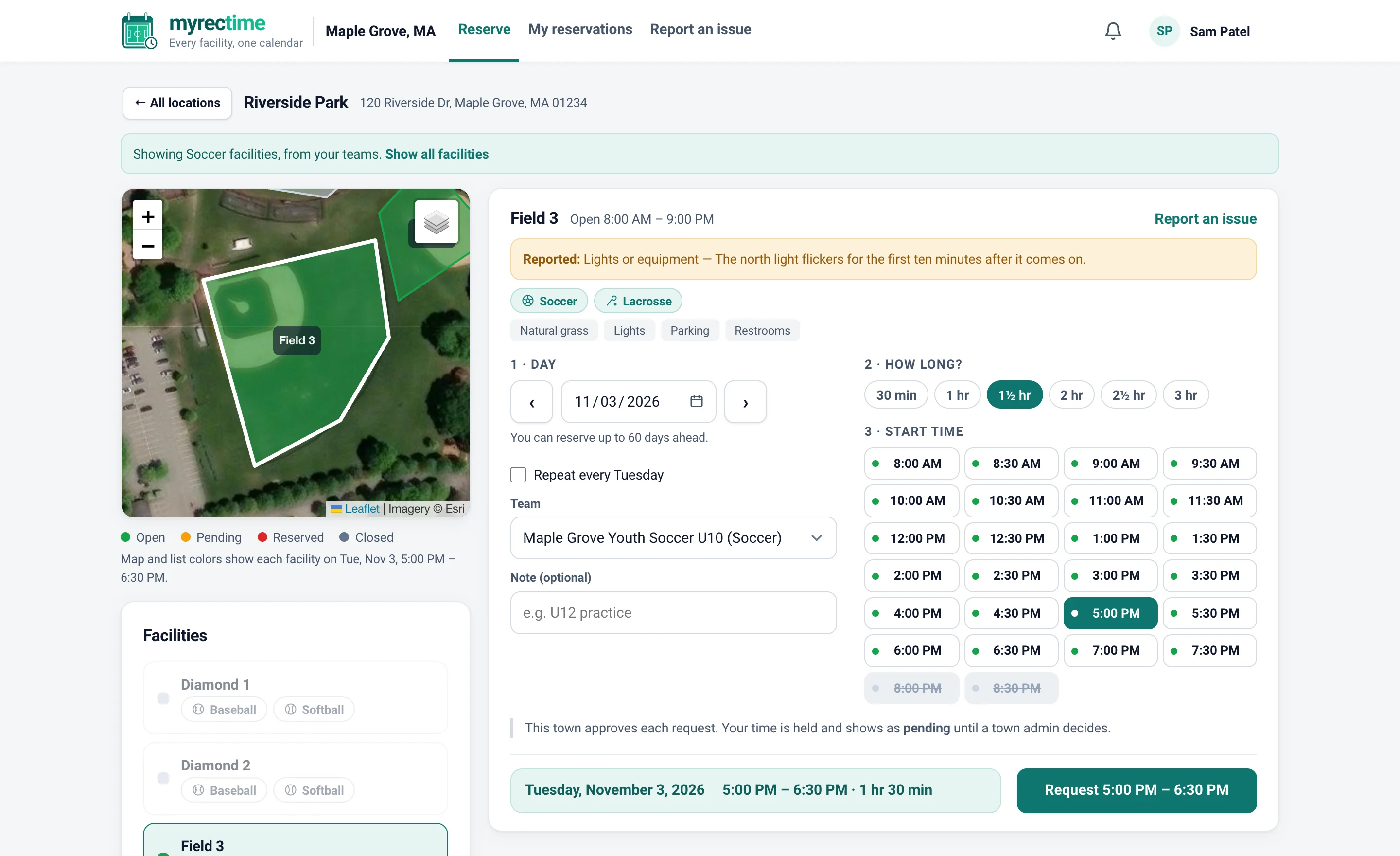
A map, not a form
Facilities are outlined on satellite imagery, so coaches pick the field they mean instead of decoding names. Times show in plain 12-hour format, and a booking is three taps: field, day, time.
- Filter by sport to see only the fields that fit, with each facility's sports and features shown separately
- Defaults to tomorrow and the first field, so there's always a sensible starting point
- See who has a taken slot, with their contact details one tap away
- "Same time next week" remembers the time and the length
- Repeat weekly for a season (up to 4 weeks on Starter, 12 on Plus, 24 on Premium)
See what's free before choosing
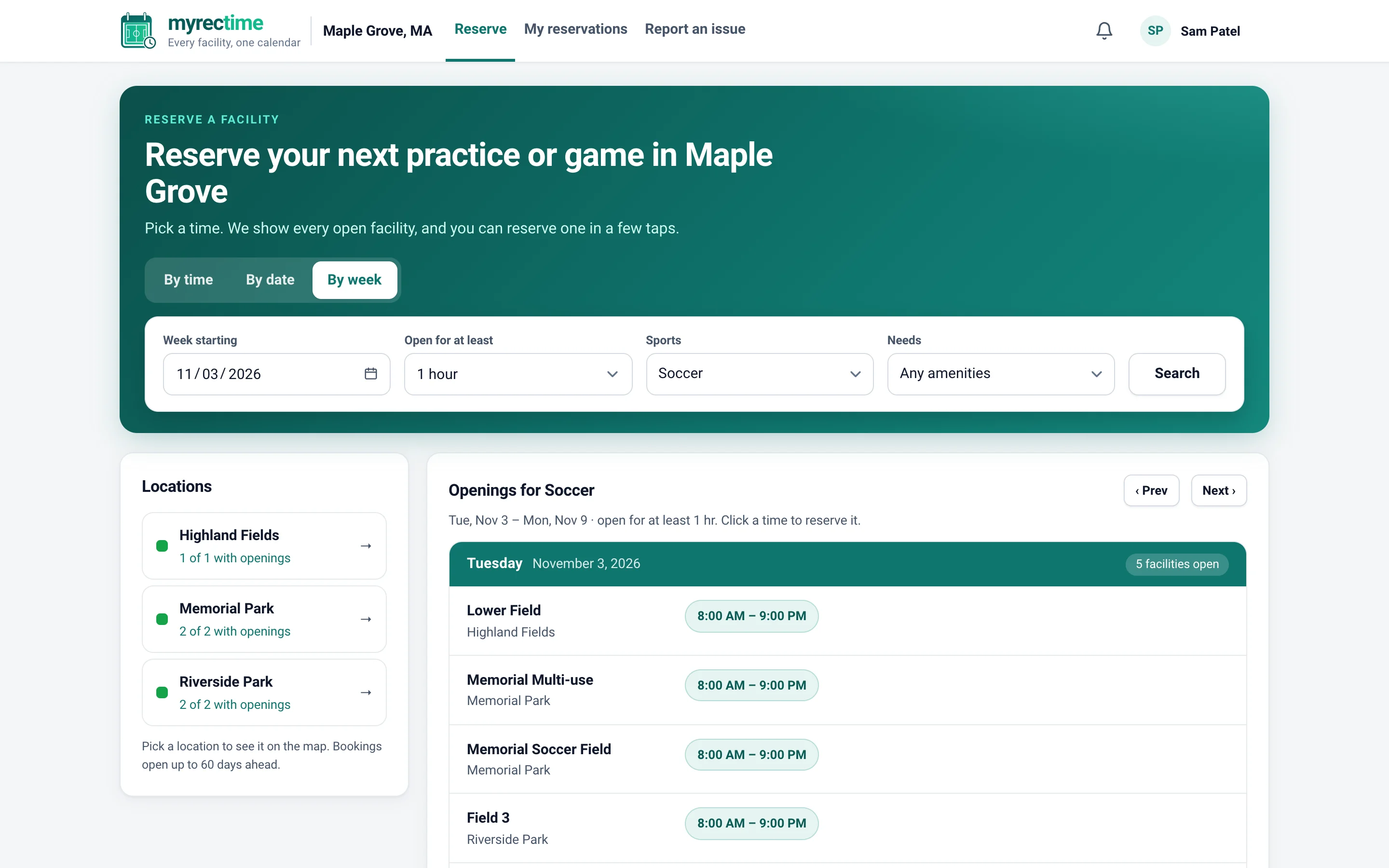
The By Week view lays out every facility's free time side by side. Coaches stop guessing and staff stop answering "is anything open Tuesday?"
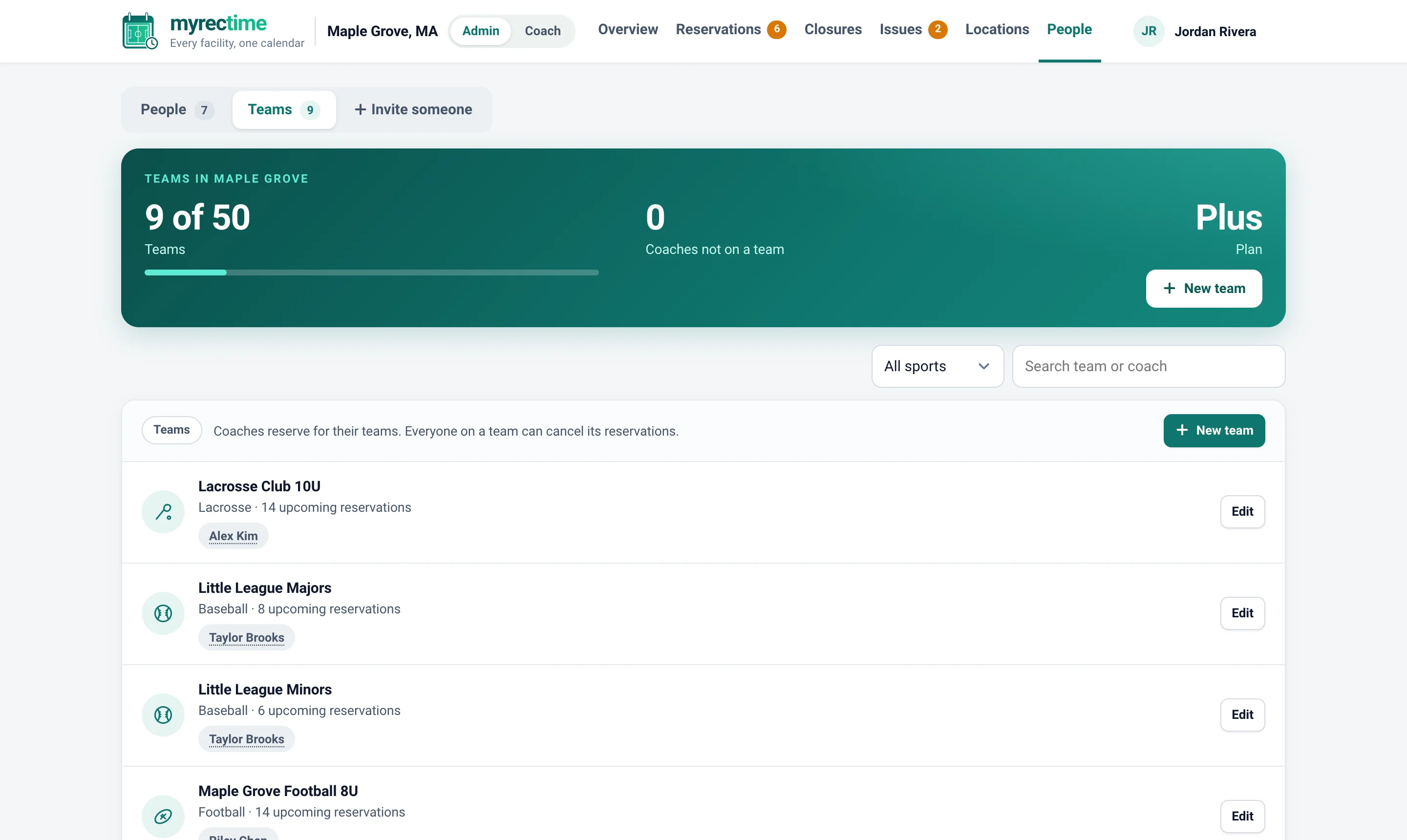
Every squad gets its own team
A team is one squad: each sport, each age group, boys and girls separately. Each team carries its sport, so you can filter and search by sport or by coach, and every reservation is booked for a team.
- Everyone on a team shares its reservations
- Search by team name or coach; filter by sport
- Add a team on the spot while you're inviting a coach
- Coaches who run several teams pick the right one at booking time
Approve what needs approving
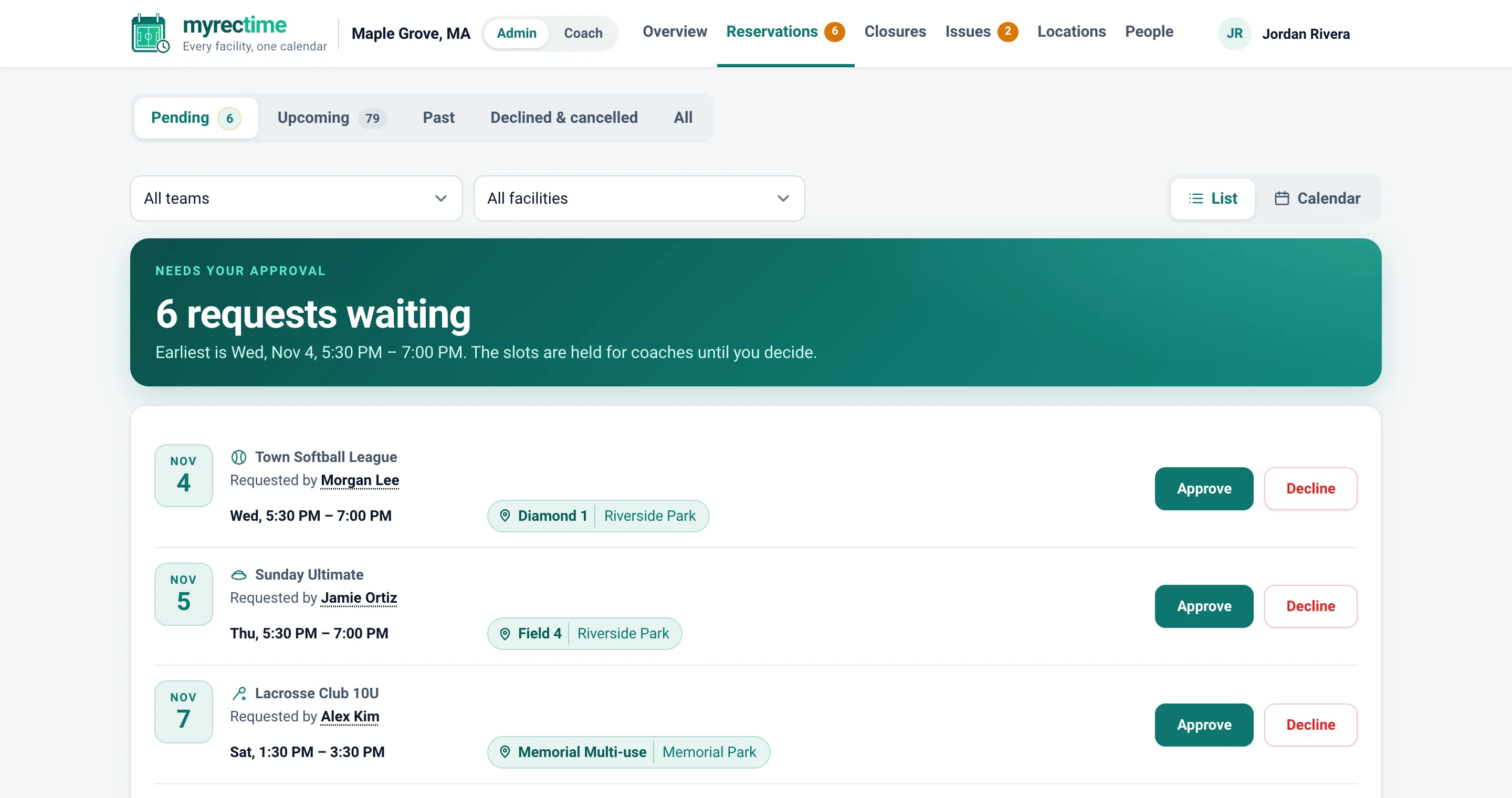
Choose per town whether bookings confirm automatically or wait for you. Requests arrive in a queue with the team, field and time, and the badge on the tab counts only what is genuinely waiting.
- One-click approve or decline
- The coach is emailed who approved the request and in which town
- Auto-confirm on every plan; approval on Starter and above
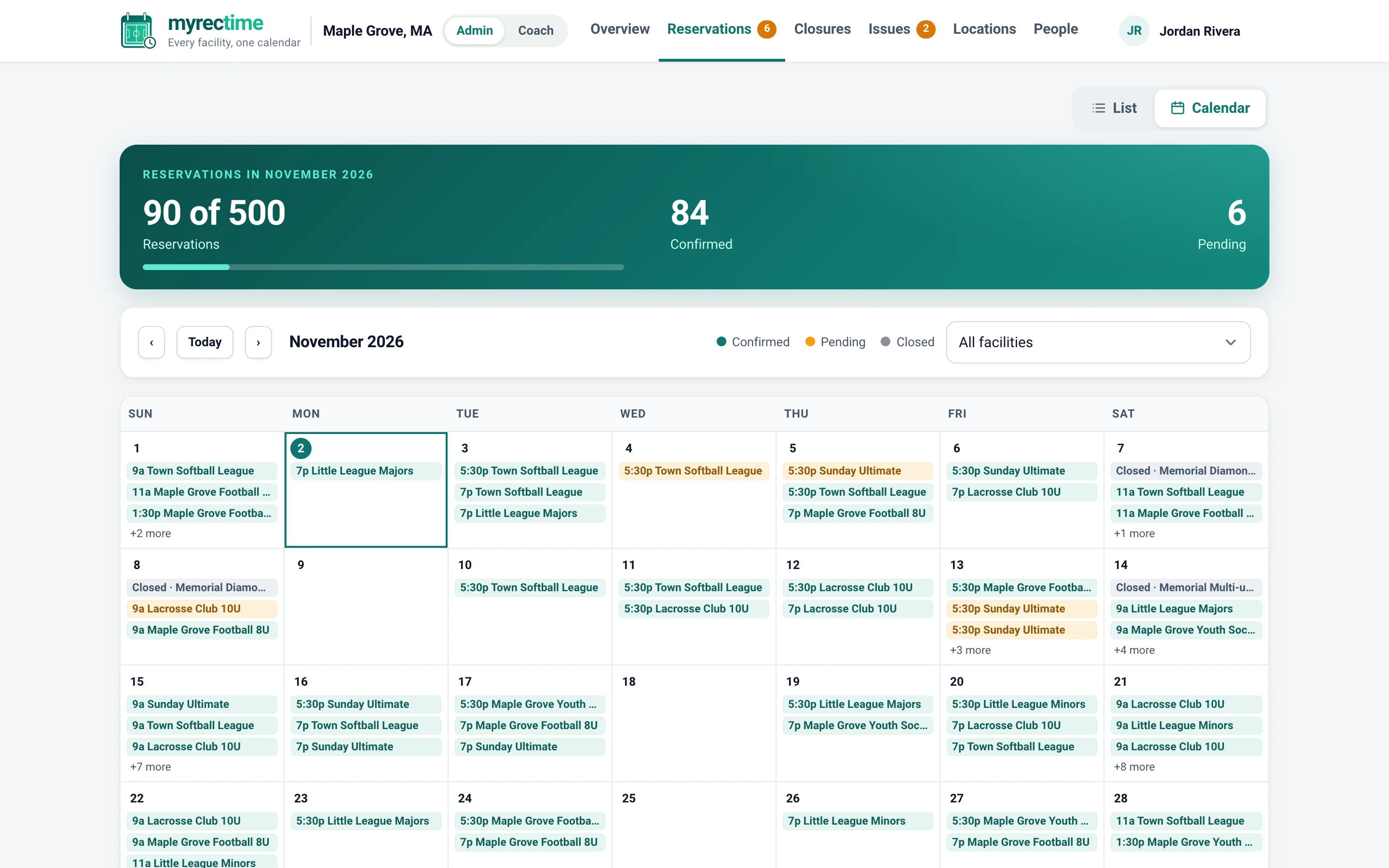
The whole town, as a list or a calendar
Switch between a filterable list and a month calendar of every reservation. Filter by team, facility or location, see who made each booking, and cancel or approve right from the row.
- Click a coach's name for their contact card
- Closures have their own page, with a reason coaches can see
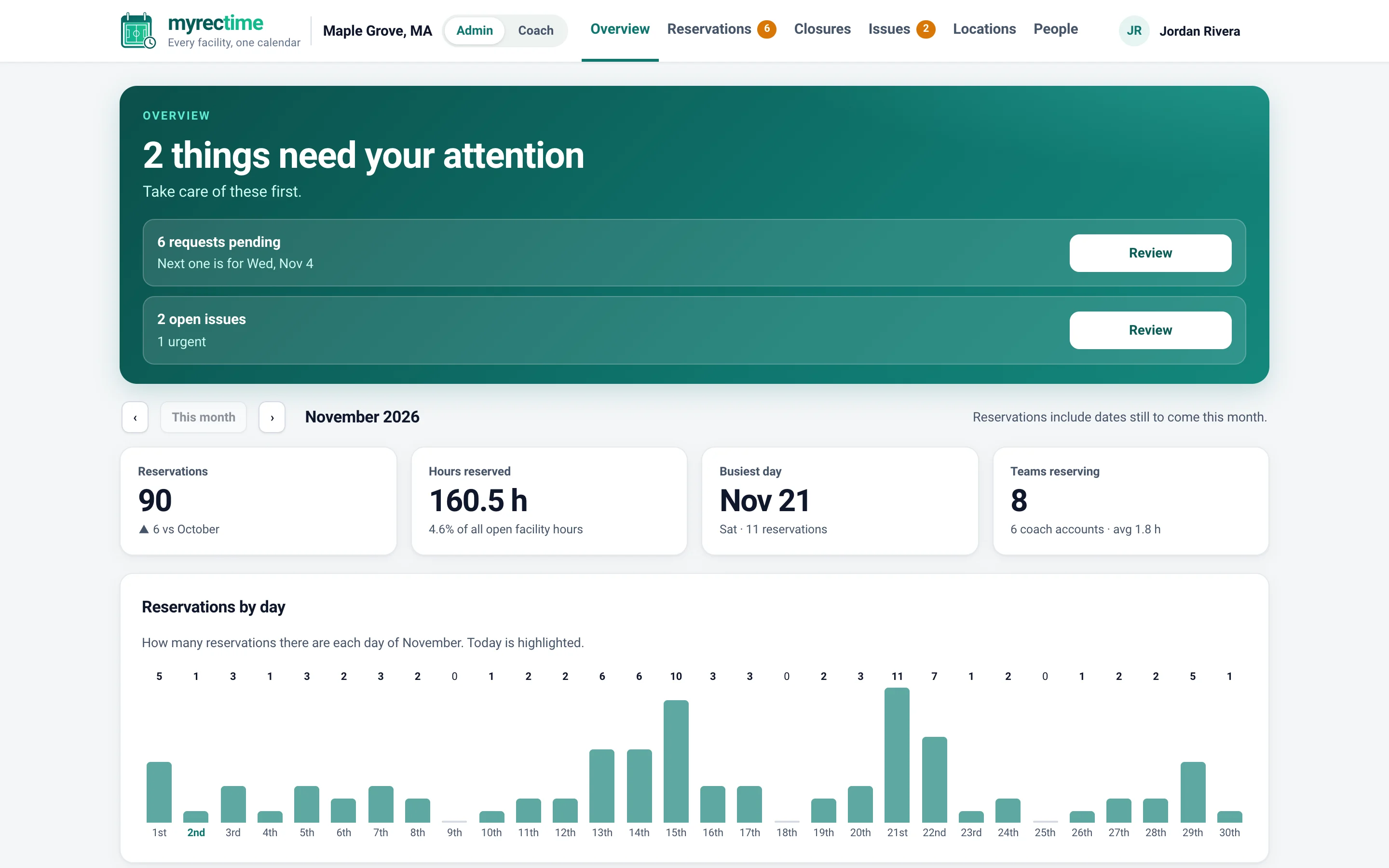
- The overview adds utilization per facility, busiest days, reservations by sport and the most active teams
Evidence when the board asks
Reservations compared with last month, how much of each facility's open time is booked, hours reserved by sport and the week ahead. On the first of every month, each town admin also gets a summary by email.
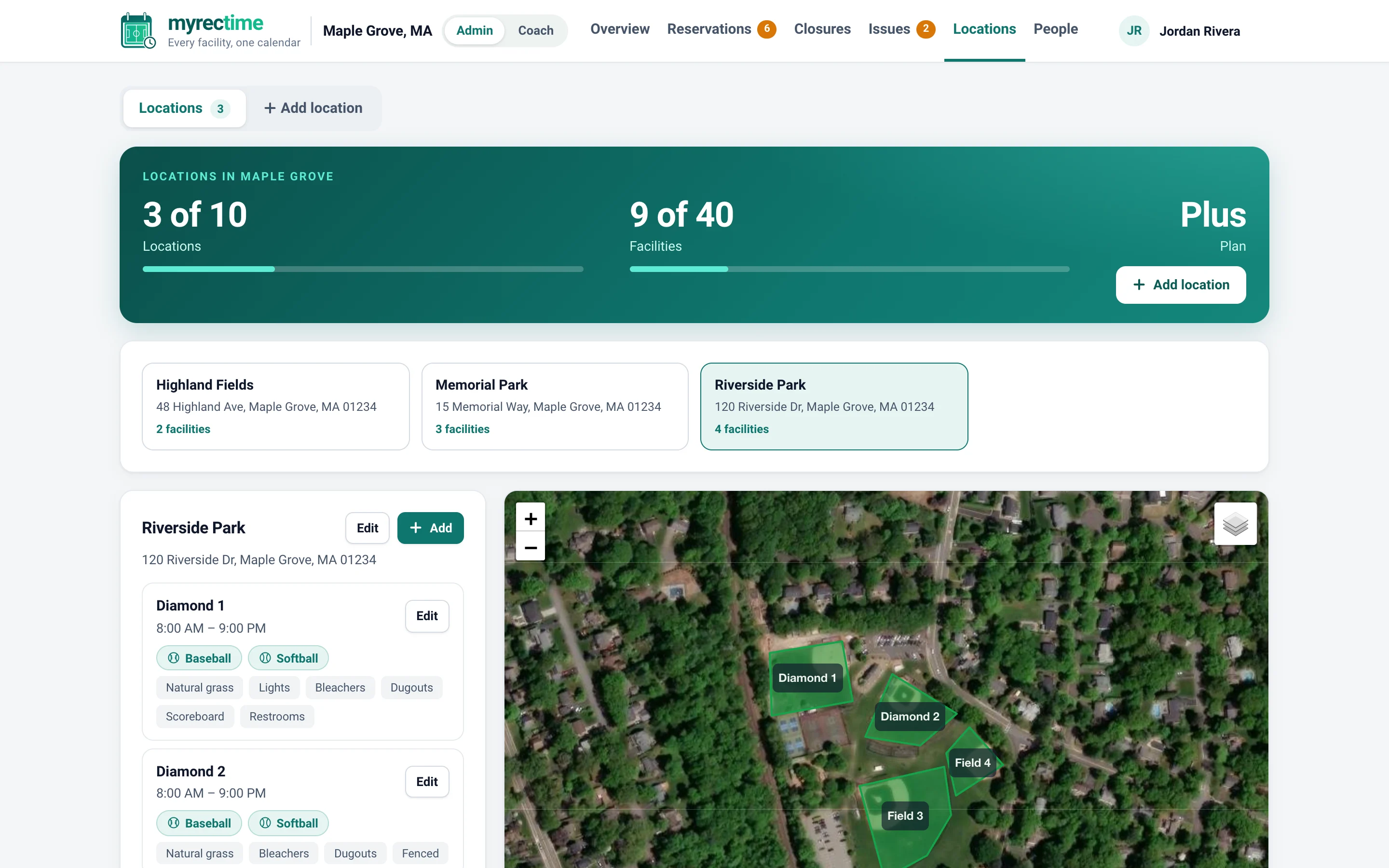
Set up by address, outline on the map
Add a park by searching its address, then outline each field. Every facility has its own hours, sports and features. Every location has its own booking window, so a popular park can be limited to a few weeks ahead while a school gym opens a full year out.
- Closures and blackouts for regrading, tournaments and festivals
- Redraw a facility's outline any time
- Edit or remove a location or facility; existing bookings are handled safely
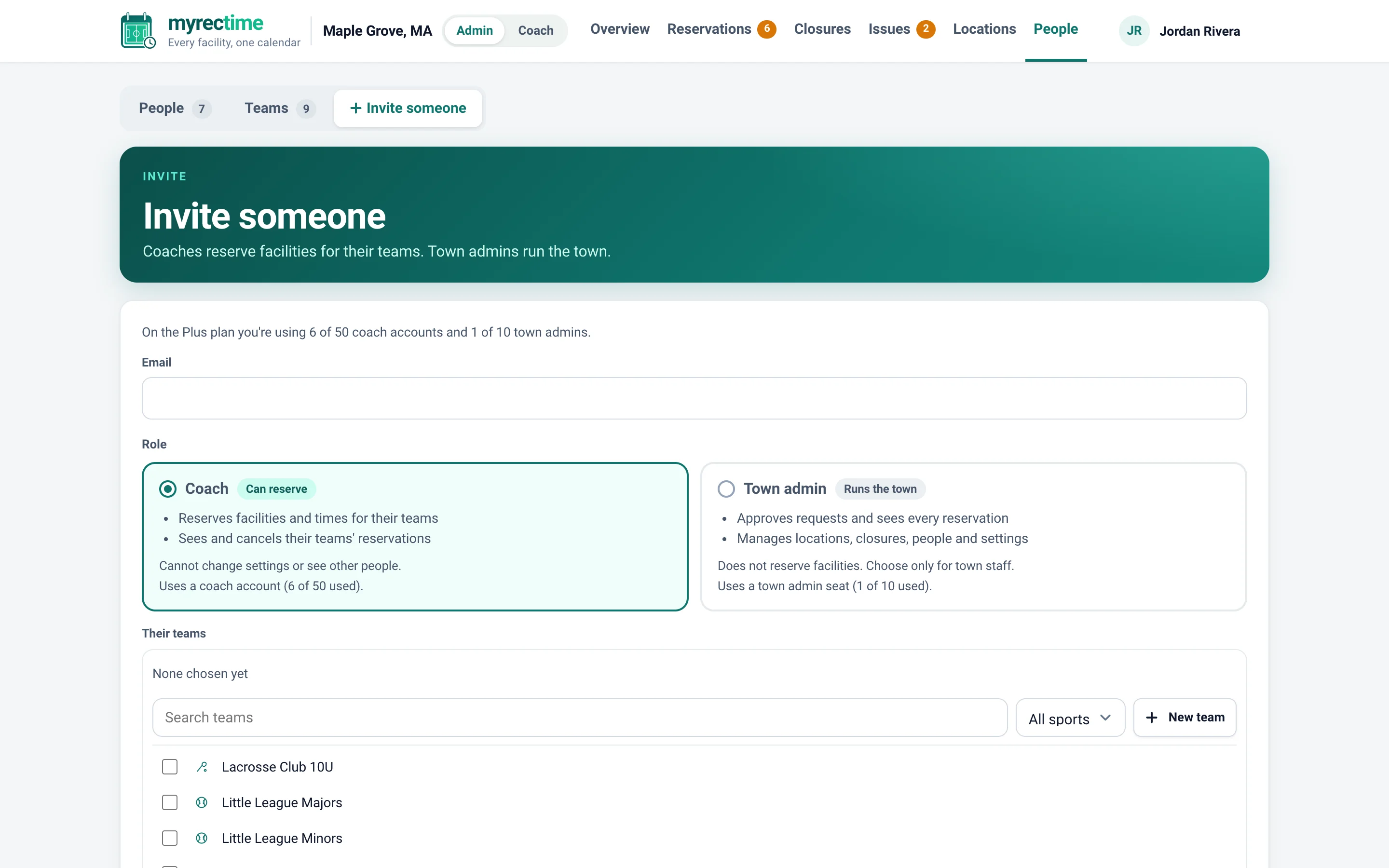
Invite coaches by email, to the teams they coach
Invite a coach with their email address and choose every team they belong to. Add a missing team on the spot. If someone's email needs correcting, an admin can fix it, and people can change their own with a confirmation code.
- One account per person, even across several towns
- Deactivate access when a season ends without losing history
- Contact cards show a coach's phone and email to everyone in town
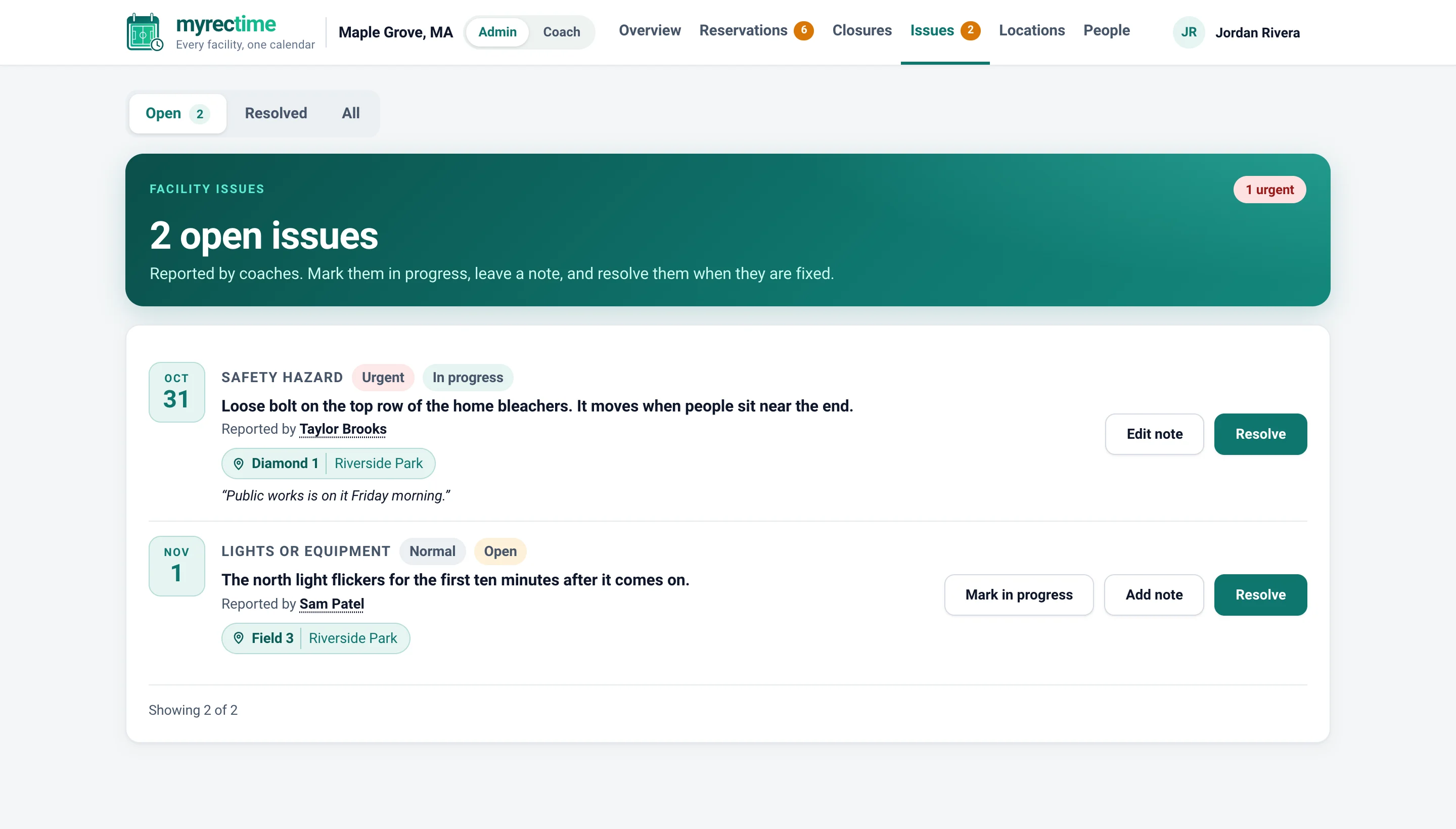
Coaches see problems first. Now you will too.
A loose bolt, a flickering light, a wet spot. Coaches report it from the field with a severity, you track it from open to resolved, and urgent items rise to the top.
Start free. Move up when you need to.
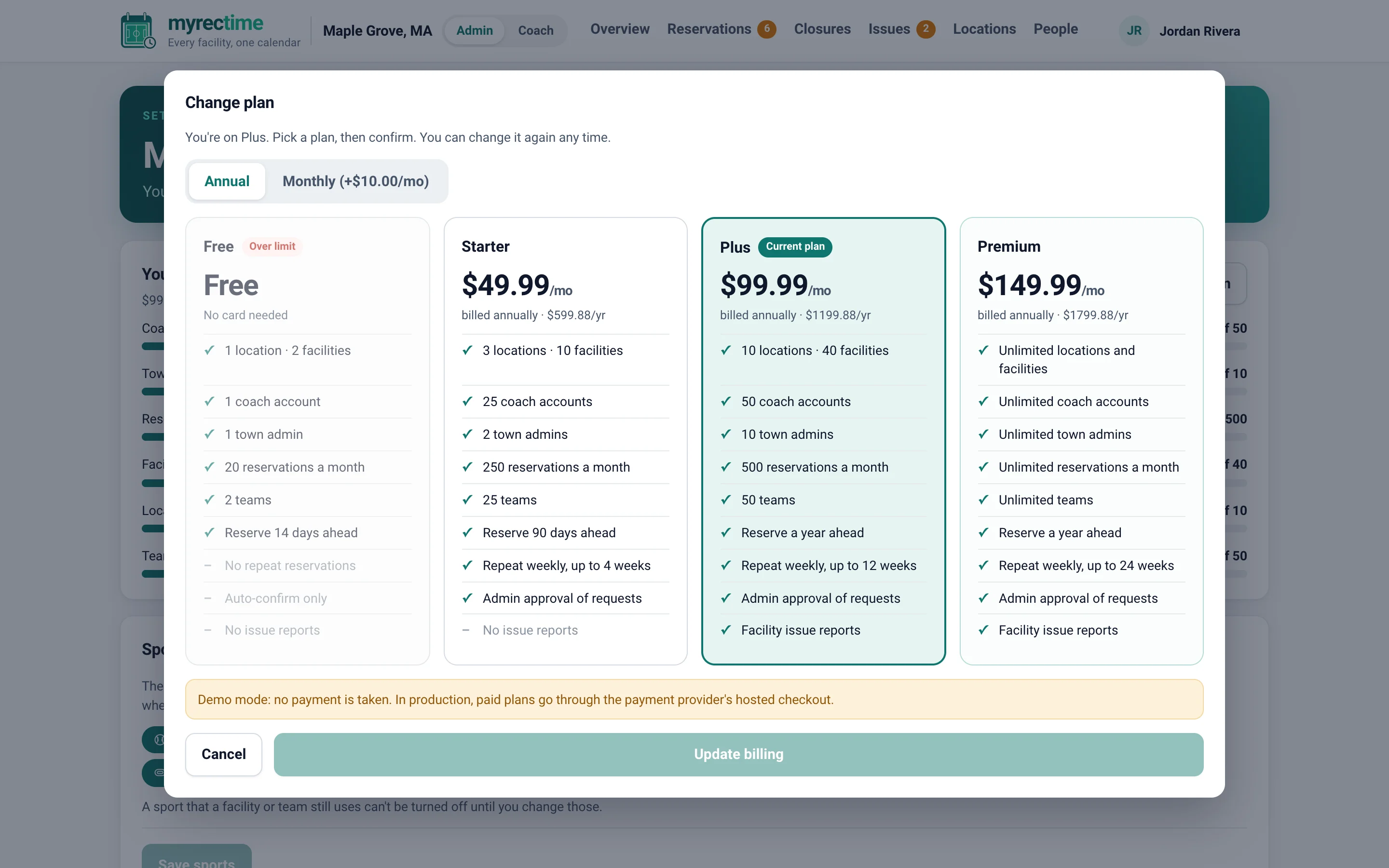
Every town sees its usage against its plan limits. Moving up takes effect right away and you pay only the difference for the rest of your term. Moving down happens at renewal, and a plan your town has outgrown is clearly marked and can't be picked by mistake.
- A built-in plan helper estimates teams, coaches and reservations for you
- Annual billing is the lowest price; monthly billing adds $10
- Coaches are always free
Notices coaches actually read
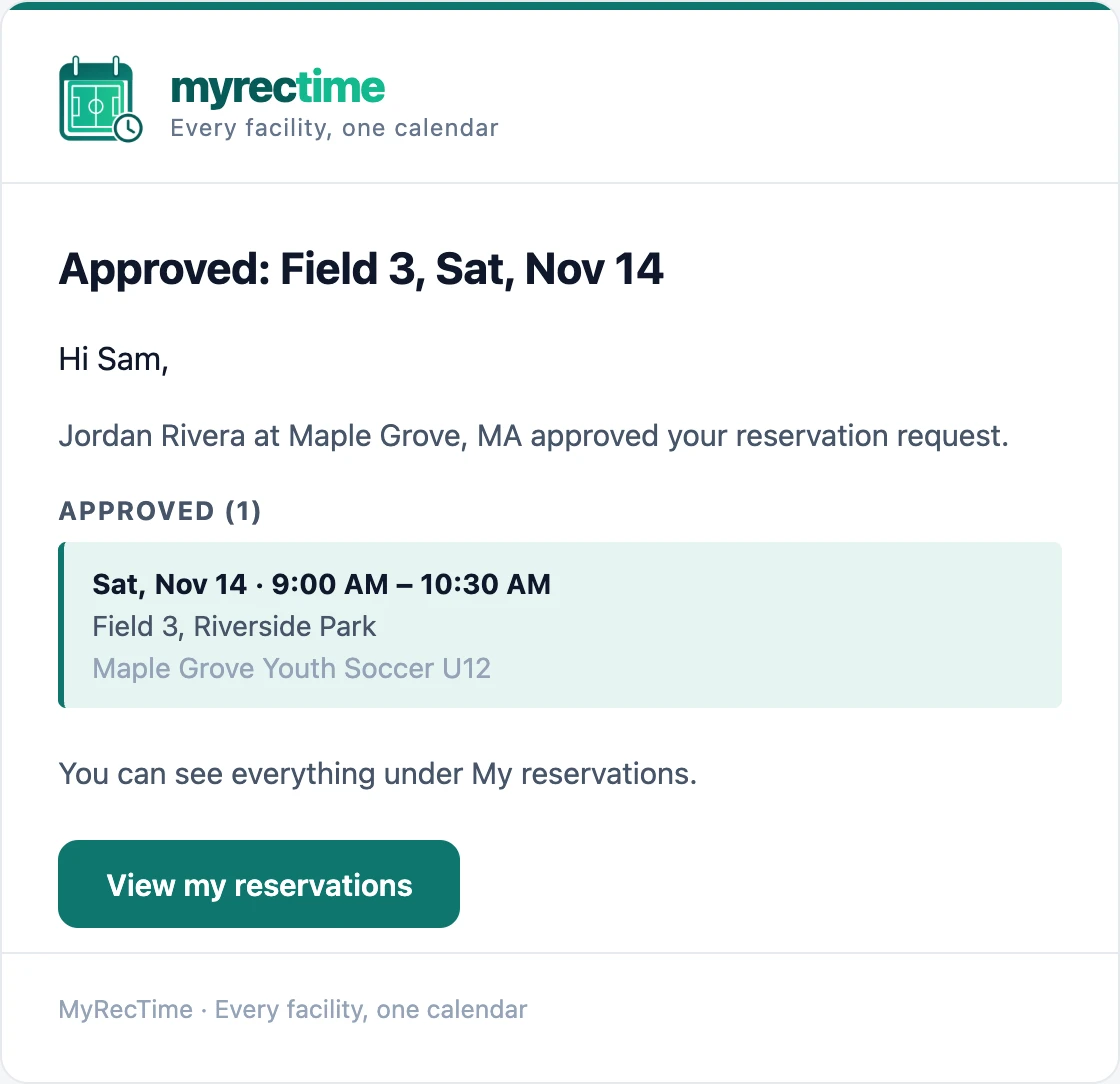
Confirmations, approvals, reminders and sign-in codes arrive in a clean, branded email that says what happened, for which team and field, and who decided. Bursts of bookings are grouped into one message, so inboxes stay calm.
- Approval emails name the admin and the town
- Each reservation is a clear card: date and time, place, team
- Town admins get a monthly summary on the first of the month
Set up a town in about three minutes
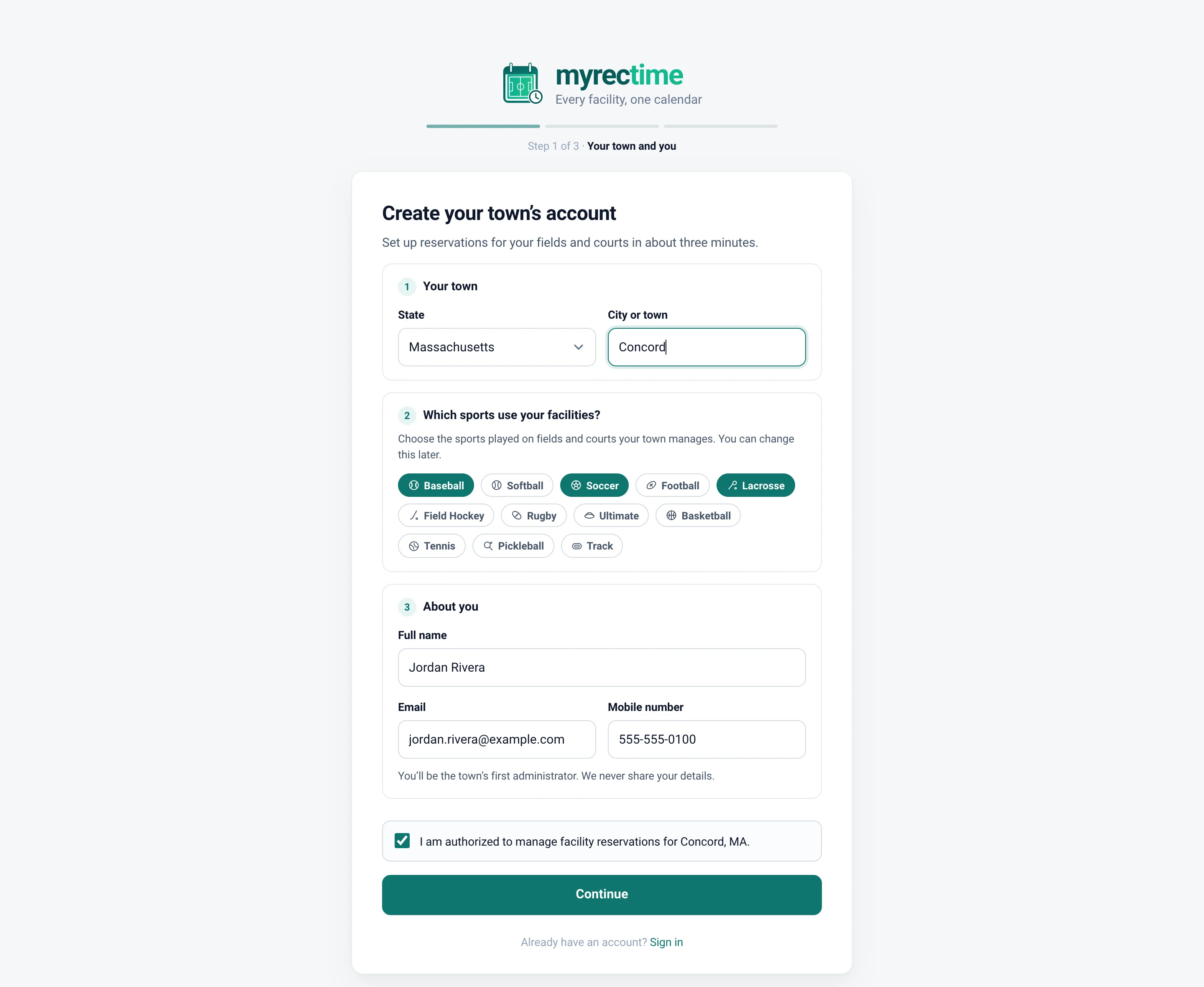
Pick your state and town from a list, tell us which sports use your facilities, add your details and choose a plan. We email a code to confirm your address, and you're in. Cities, towns, villages, boroughs and townships across the United States are on the list.
The rest of the toolbox
Branded email notices
Sign-in codes, confirmations, approvals, reminders and a monthly summary, grouped so a burst of bookings becomes one email.
Coach reminders
Each coach picks their own reminder timing for upcoming reservations.
Sports your town offers
Switch sports on or off for your town, and every list and filter follows.
Calendar feed
Subscribe to your reservations, or the whole town's, in Google Calendar, Apple Calendar or Outlook.
Activity log
A record of who changed what, for approvals, closures, people and settings.
Time zones handled
Times follow your town's own clock, set automatically from your state and adjustable in Settings.
Multiple towns
A coach working in several towns signs in once and switches between them.
Passwordless sign-in
People sign in with a one-time code sent to their email. There is no password to forget or leak.
Mobile-ready
Every screen works on a phone, from booking to approvals.
Ready to try it?
Create your town in about three minutes. The Free plan needs no card.